d47d02f090
* First draft of facebook auth

* Add Facebook welcome broadcast to seeds, data script

* Tests!

* Documentation

* Update docs with pictures

* User siteconfig/app config

* Adjust dropdown menu width to avoid wrap for Facebook button

* Add Facebook auth keys to SiteConfig properly

* Remove unnecessary VCR cassette

* Add omniauth facebook gem to vendor cache

* Use uid instead of email for nickname randomization

* Test fix, test for missing email in Facebook

* Update docs/backend/auth-facebook.md

Co-authored-by: Molly Struve <mollylbs@gmail.com>

* Typo fix!

* Don't default facebook auth settings to ApplicationConfig

Co-authored-by: Molly Struve <mollylbs@gmail.com>
1.9 KiB
1.9 KiB
| title |
|---|
| Facebook Authentication |
Facebook App and Authentication
Forem allows you to authenticate using Facebook. In order to use this authentication method in local development, you will need to setup a Facebook App and retrieve its keys. Then you'll need to provide these keys to the Rails application.
Sign up
-
Sign in to your Facebook account.
-
In order to get the API keys, you will have to convert your account to a developer account.
Get API keys
-
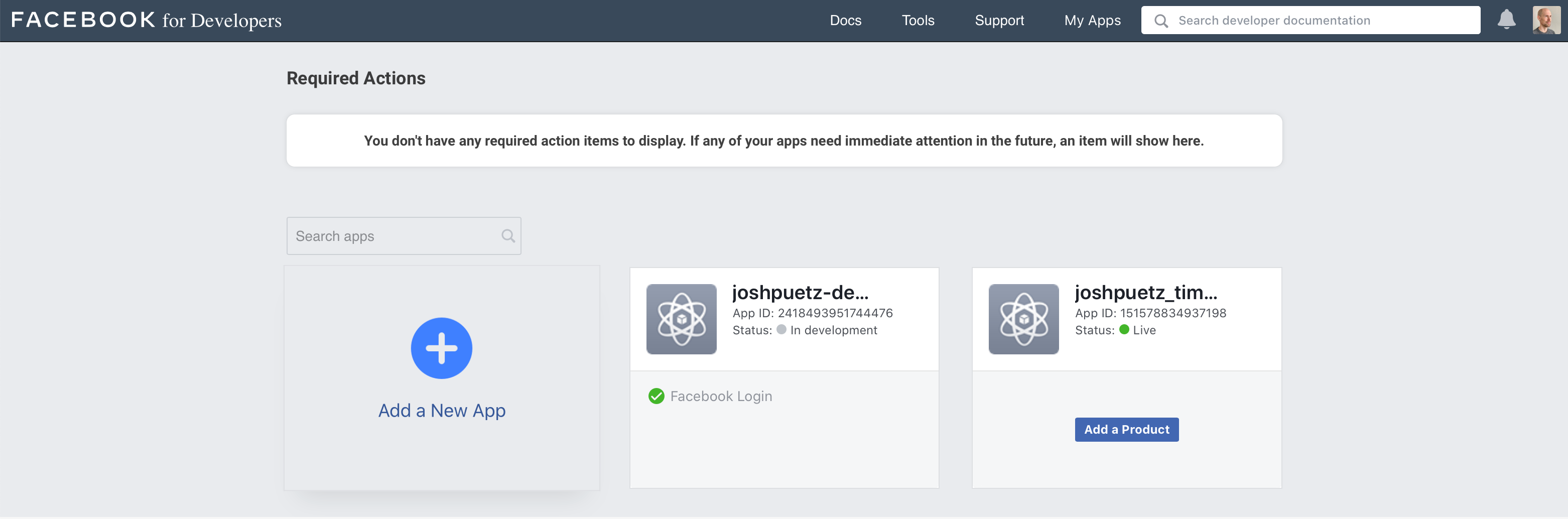
From My Apps dashboard, click on Add a New App.
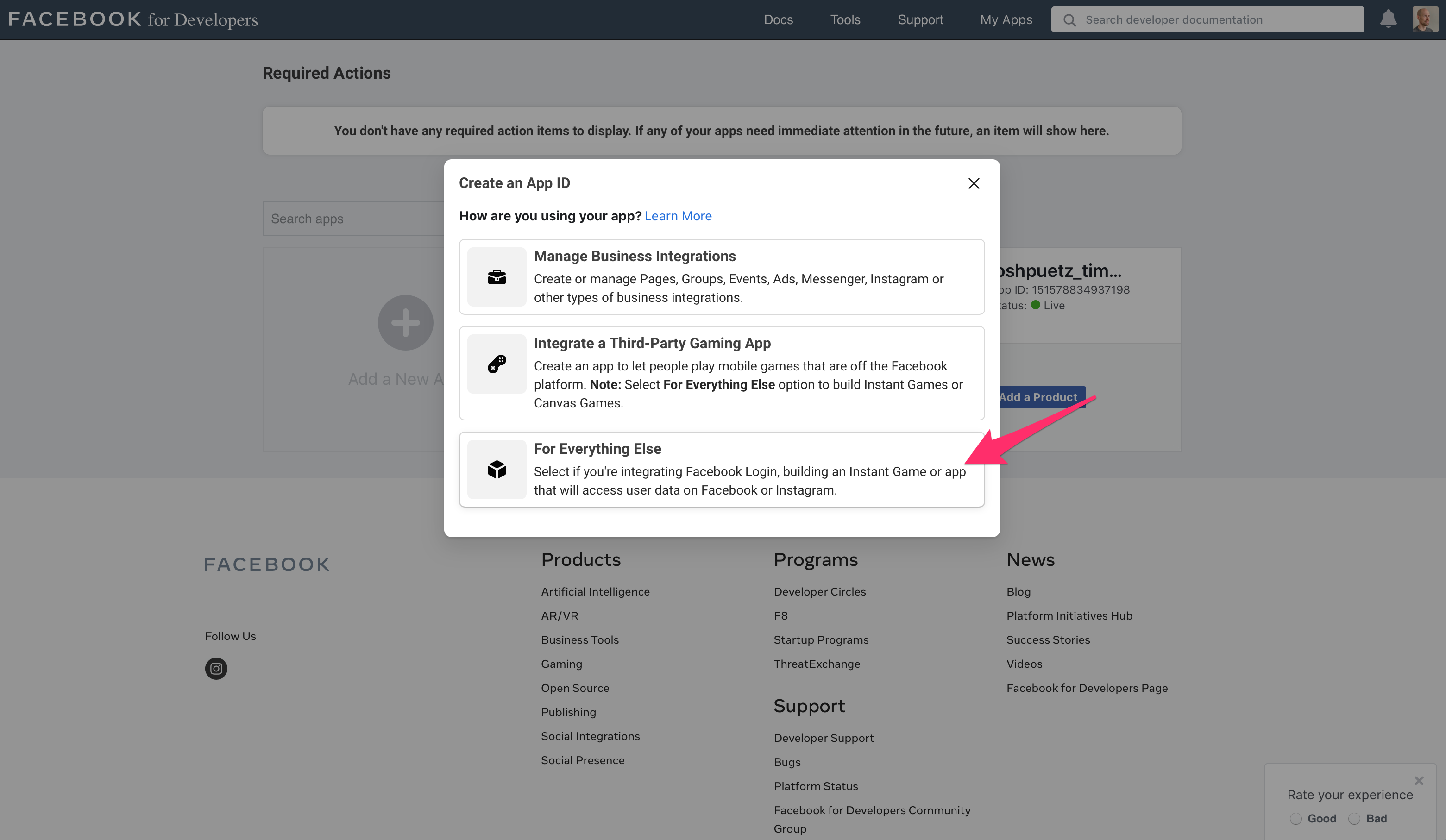
- Select For Everything Else
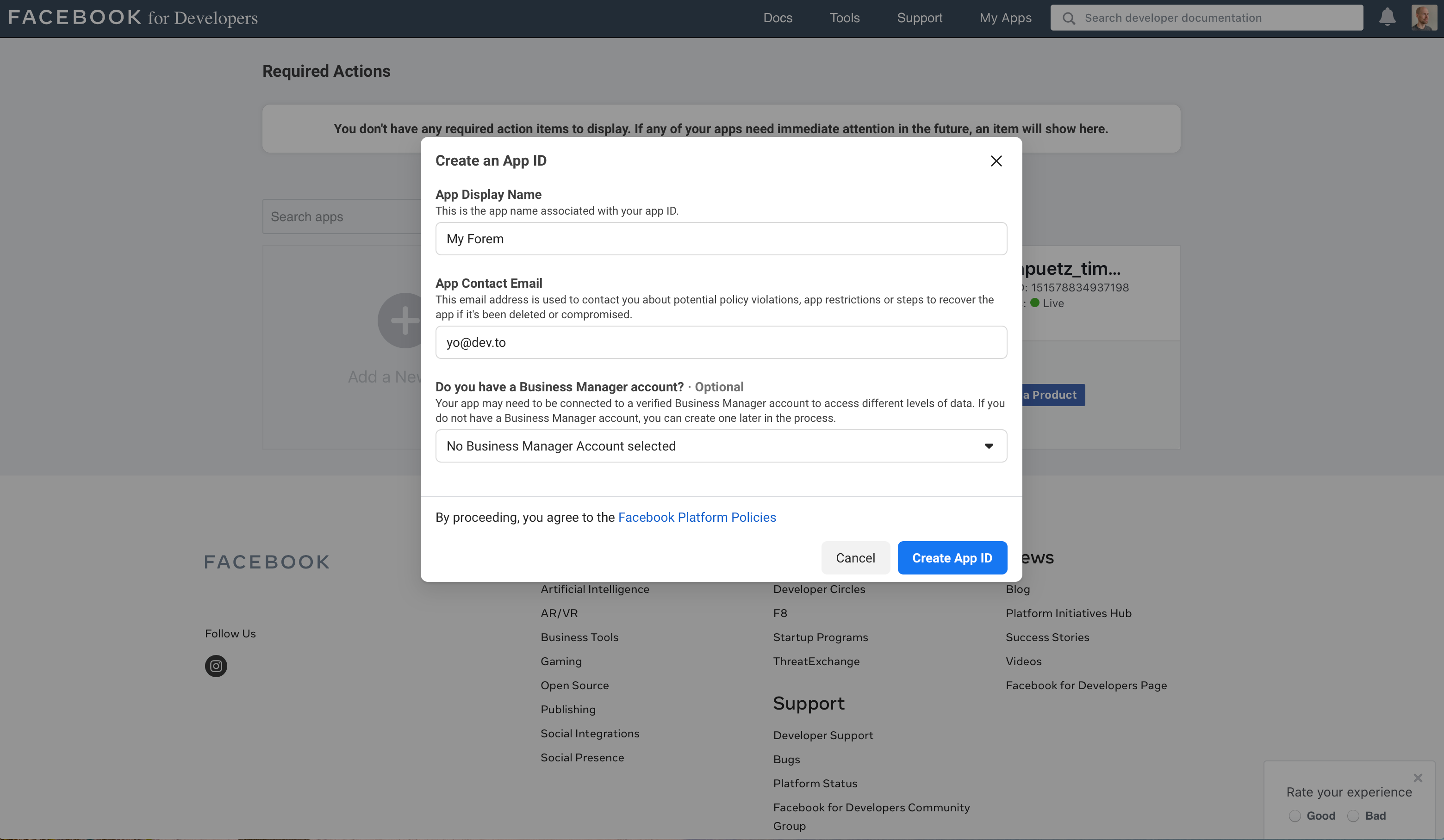
- Fill in the app display name and contact email, then click on Create App ID
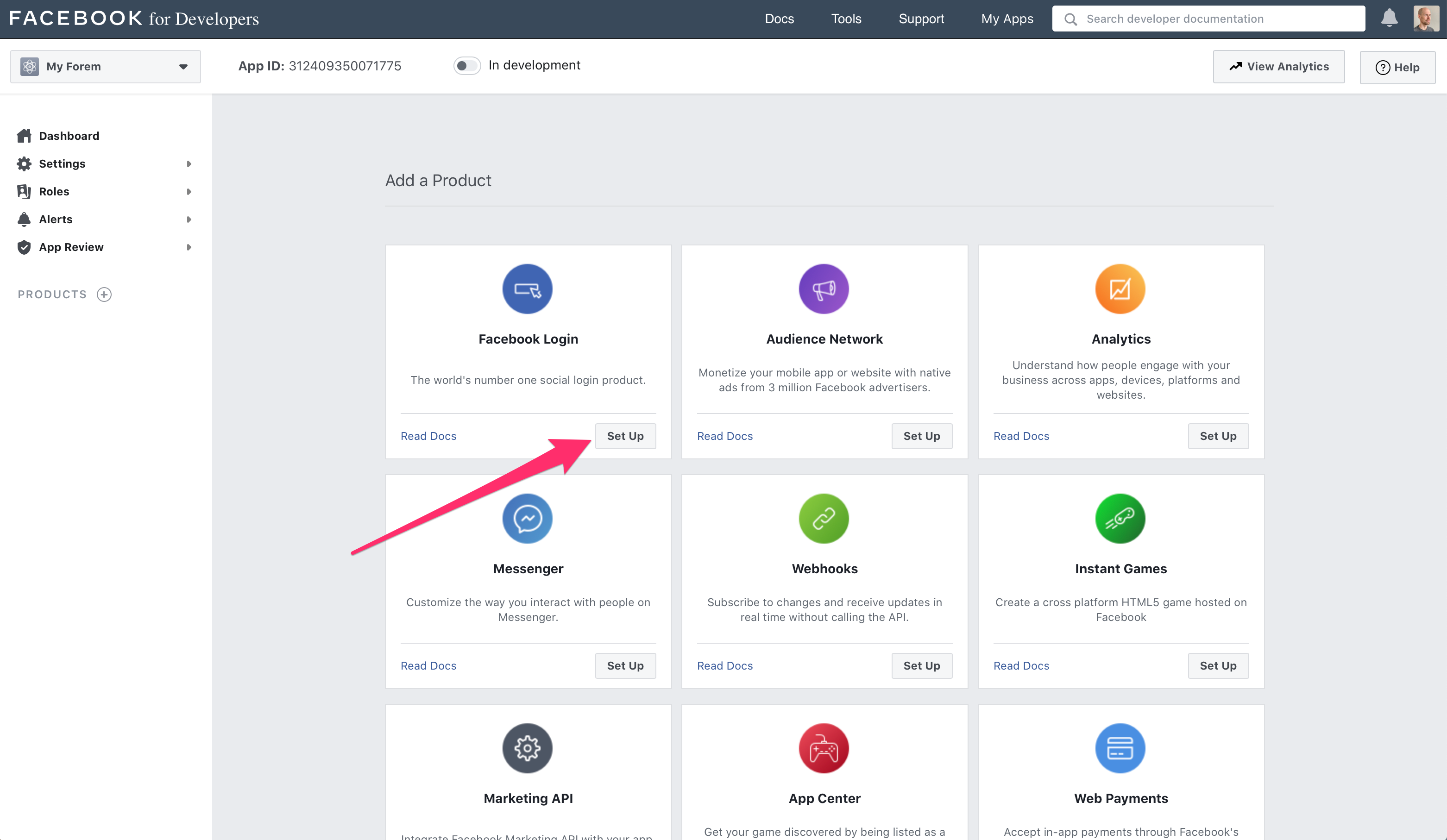
- On the Add a Product screen, click Set Up under the Facebook Login section
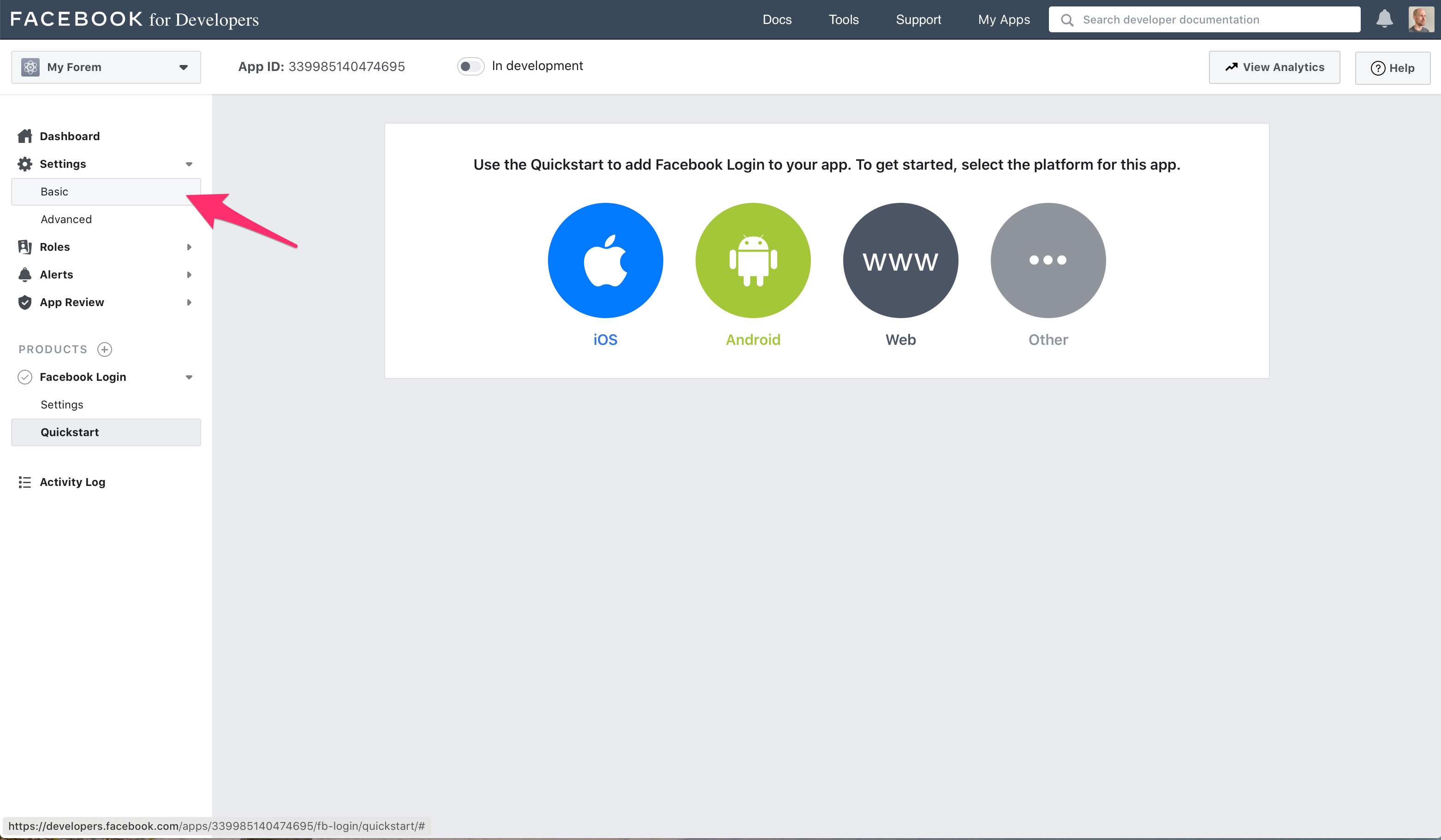
- Ignore the quickstart options, and click Settings -> Basic in the sidebar
-
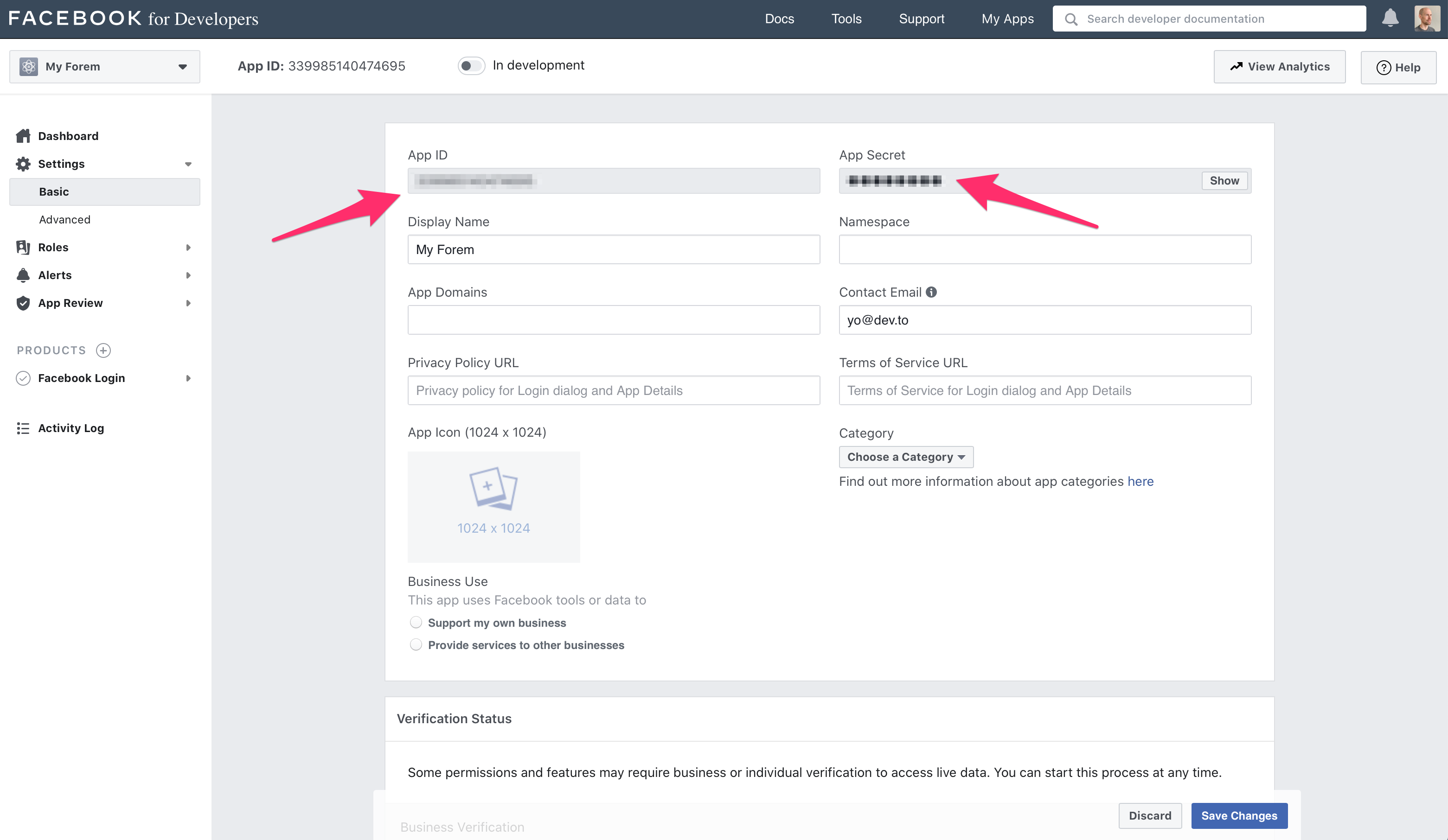
From the basic settings screen dashboard copy the App ID and App Secret values to your environment settings accordingly (name of Facebook key -> name of our
SiteConfigvariable).APP ID -> FACEBOOK_APP_ID API secret -> FACEBOOK_APP_SECRET