 f4a10e4a44
* Adds a new admin setting for experience levels.

This is used in the post management UI to determine the range of experience. These values fallback to the ones we currently see in DEV, Total Newbies and Senior Devs. There is also a removal of the word coding when talking about experience level, since the context for each forem instance should be implied when referencing experience.

* Cleans up experience defaults

* Fixes instance_of usage
69 lines
2.5 KiB
Markdown
69 lines
2.5 KiB
Markdown
---
|
|
title: Facebook Authentication
|
|
---
|
|
|
|
# Facebook App and Authentication
|
|
|
|
Forem allows you to authenticate using Facebook. In order to use this
|
|
authentication method in local development, you will need to setup a Facebook
|
|
App and retrieve its keys. Then you'll need to provide these keys to the Rails
|
|
application.
|
|
|
|
## Sign up
|
|
|
|
1. [Sign in](https://facebook.com) to your Facebook account.
|
|
|
|
2. In order to get the API keys, you will have to
|
|
[convert your account to a developer account](https://developers.facebook.com/).
|
|
|
|
## Get API keys
|
|
|
|
1. [Sign up](#facebook-sign-up) or [sign in](https://developers.facebook.com) to
|
|
your Facebook developer account.
|
|
|
|
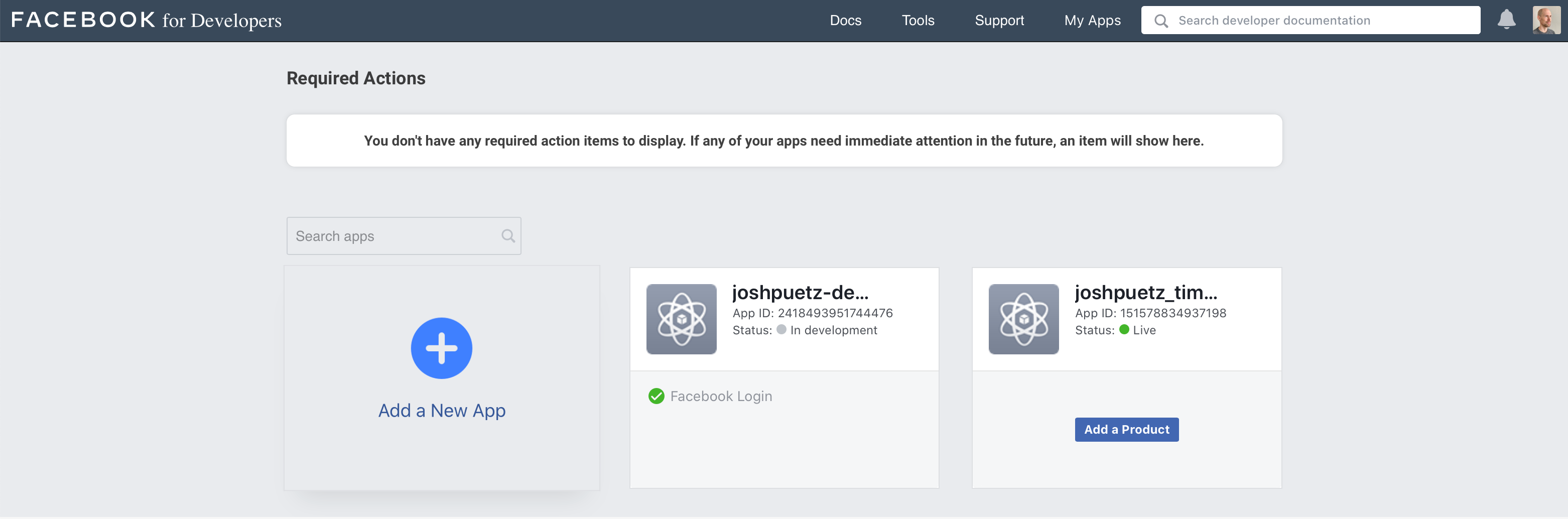
2. From **My Apps** dashboard, click on **Add a New App**.
|
|
|
|
|
|
|
|
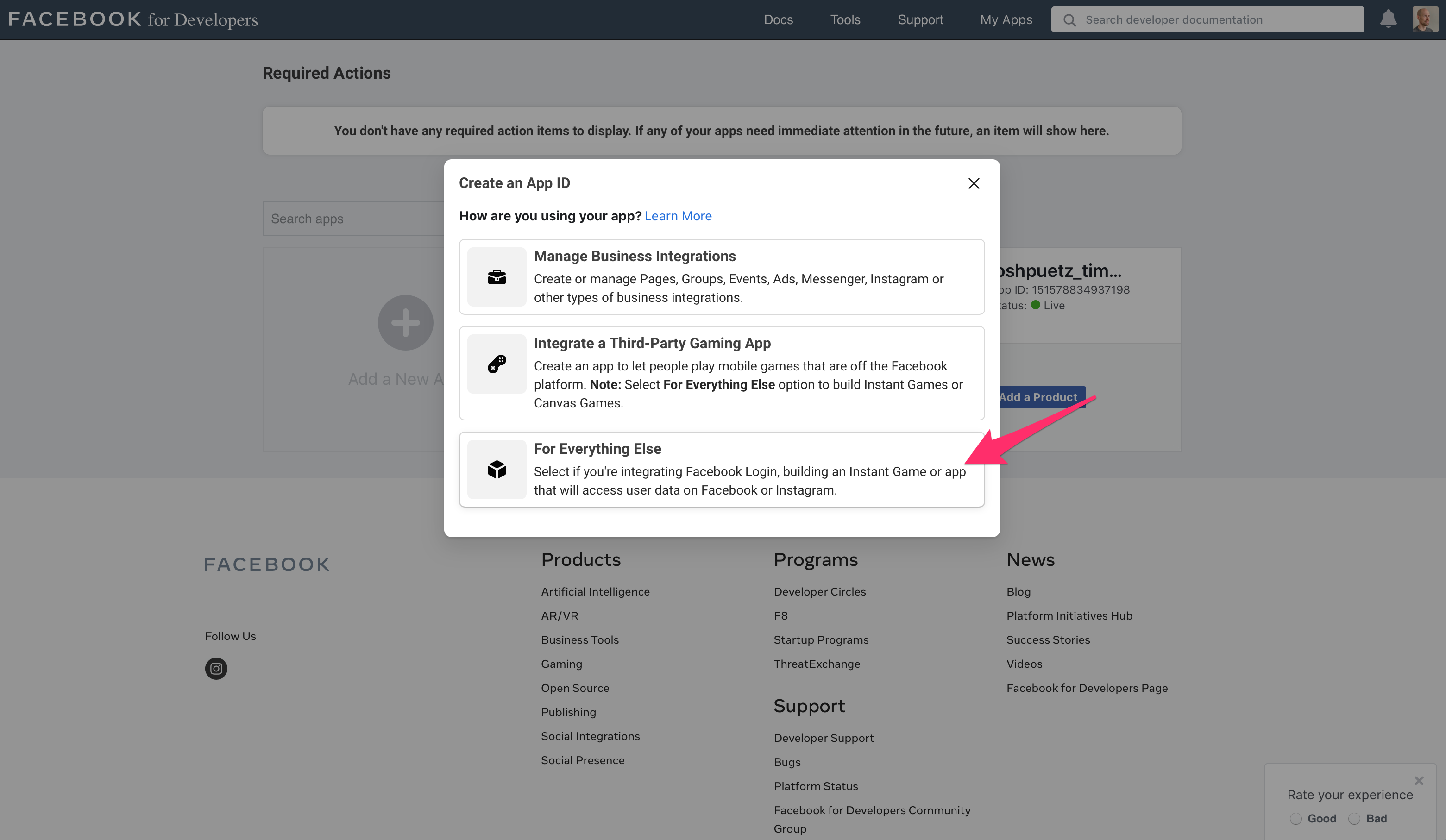
3. Select **For Everything Else**
|
|
|
|
|
|
|
|
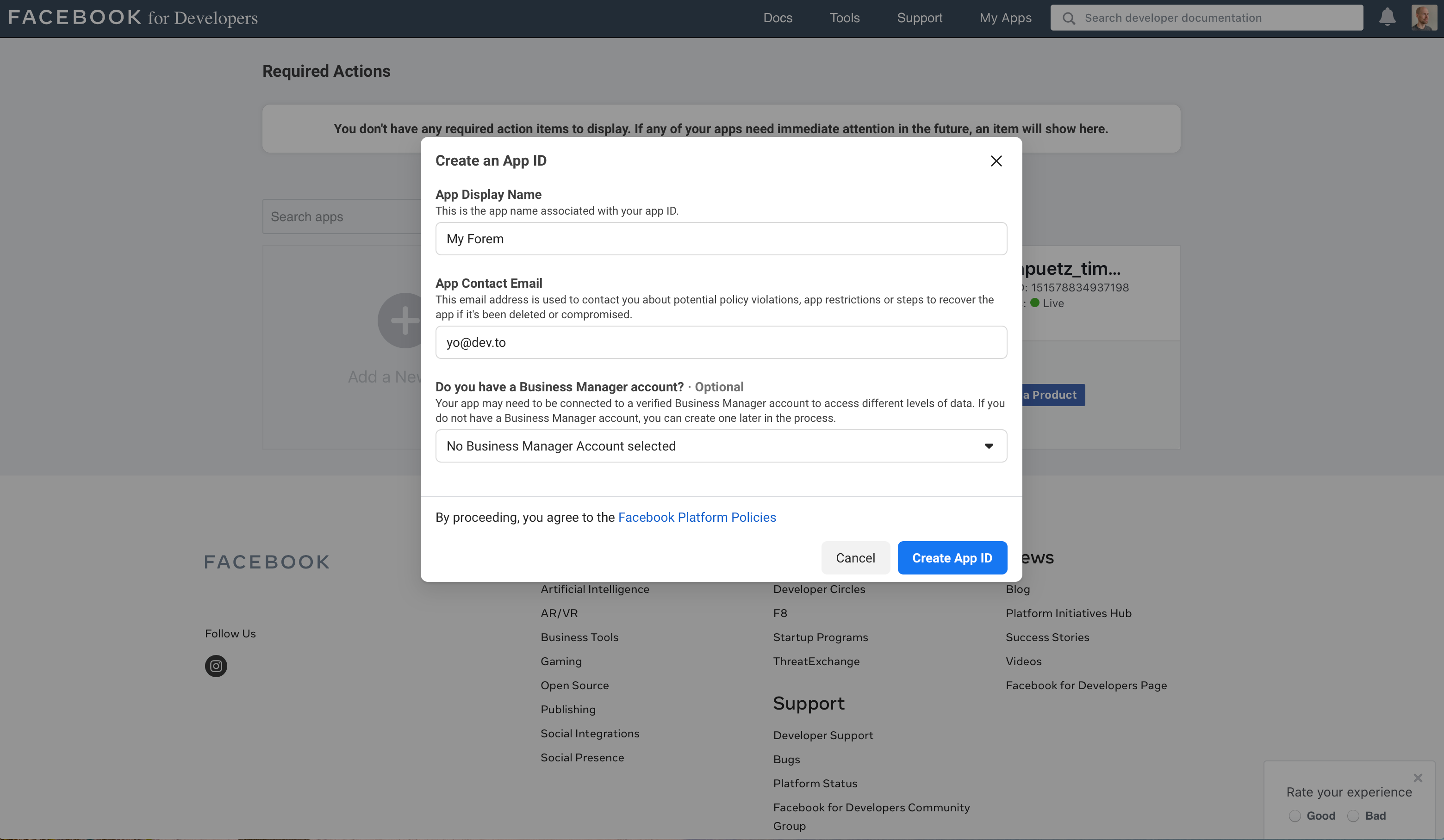
4. Fill in the app display name and contact email, then click on **Create App
|
|
ID**
|
|
|
|
|
|
|
|
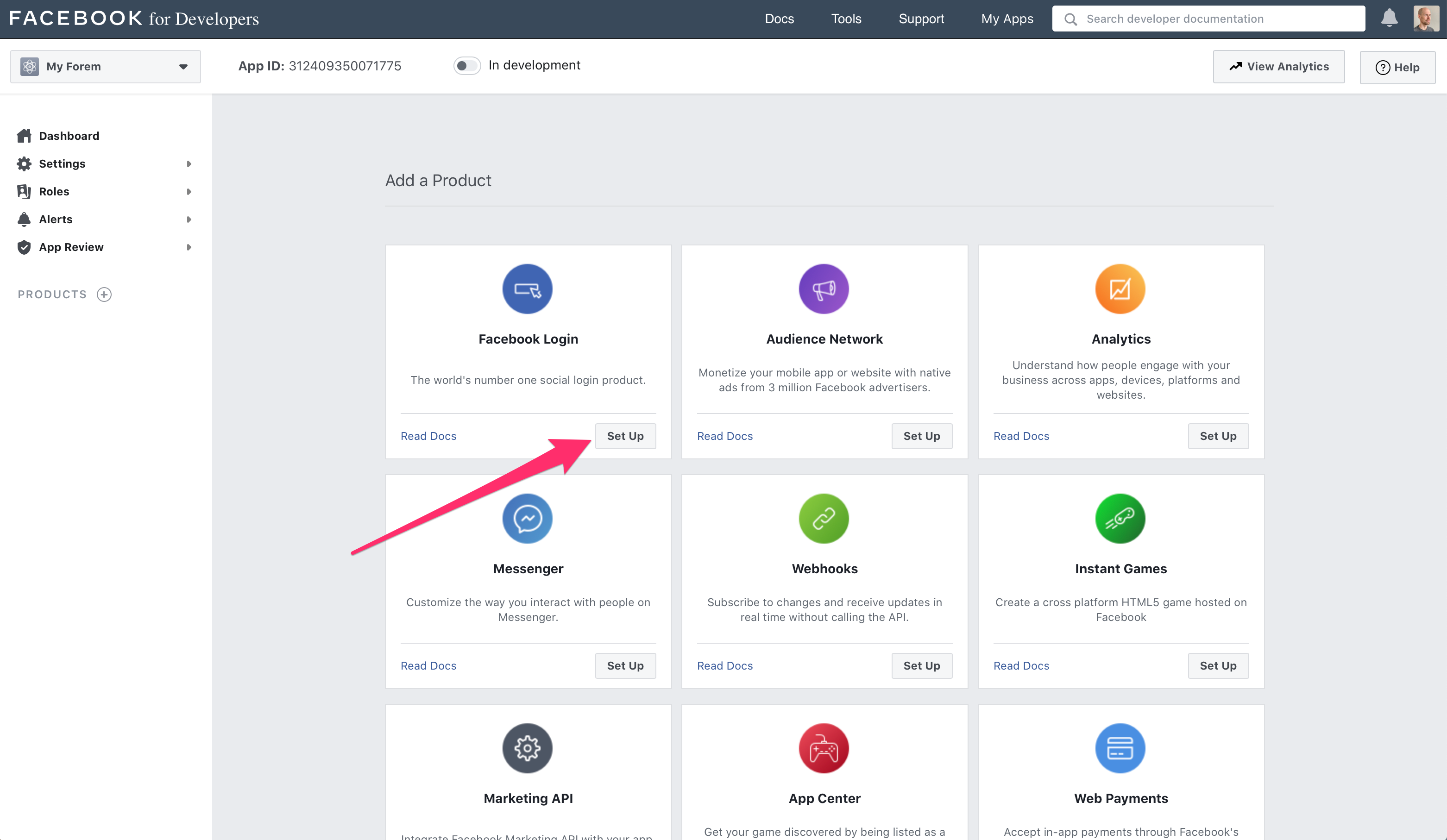
5. On the **Add a Product** screen, click **Set Up** under the **Facebook
|
|
Login** section
|
|
|
|
|
|
|
|
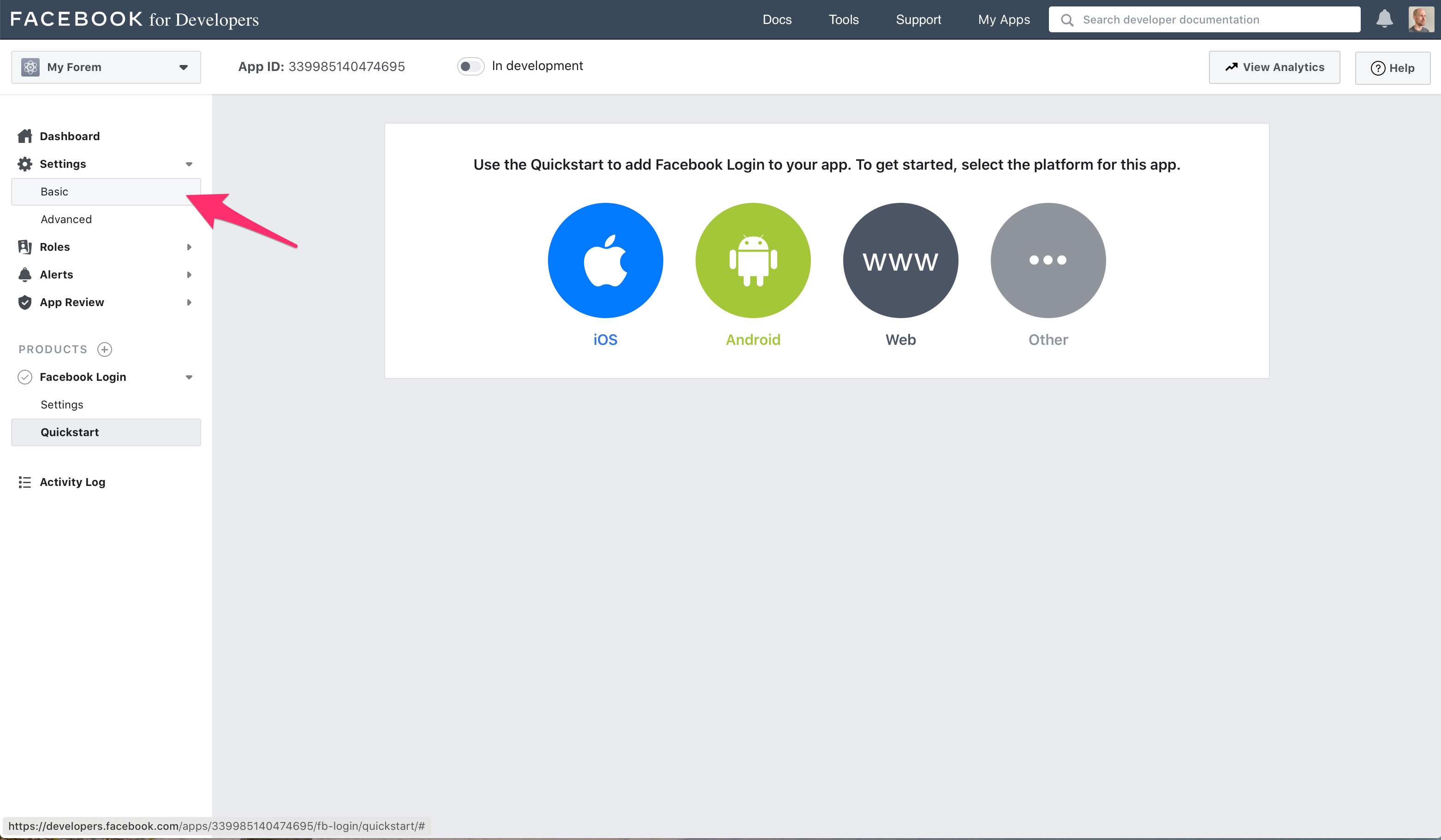
6. Ignore the quickstart options, and click **Settings -> Basic** in the sidebar
|
|
|
|
|
|
|
|
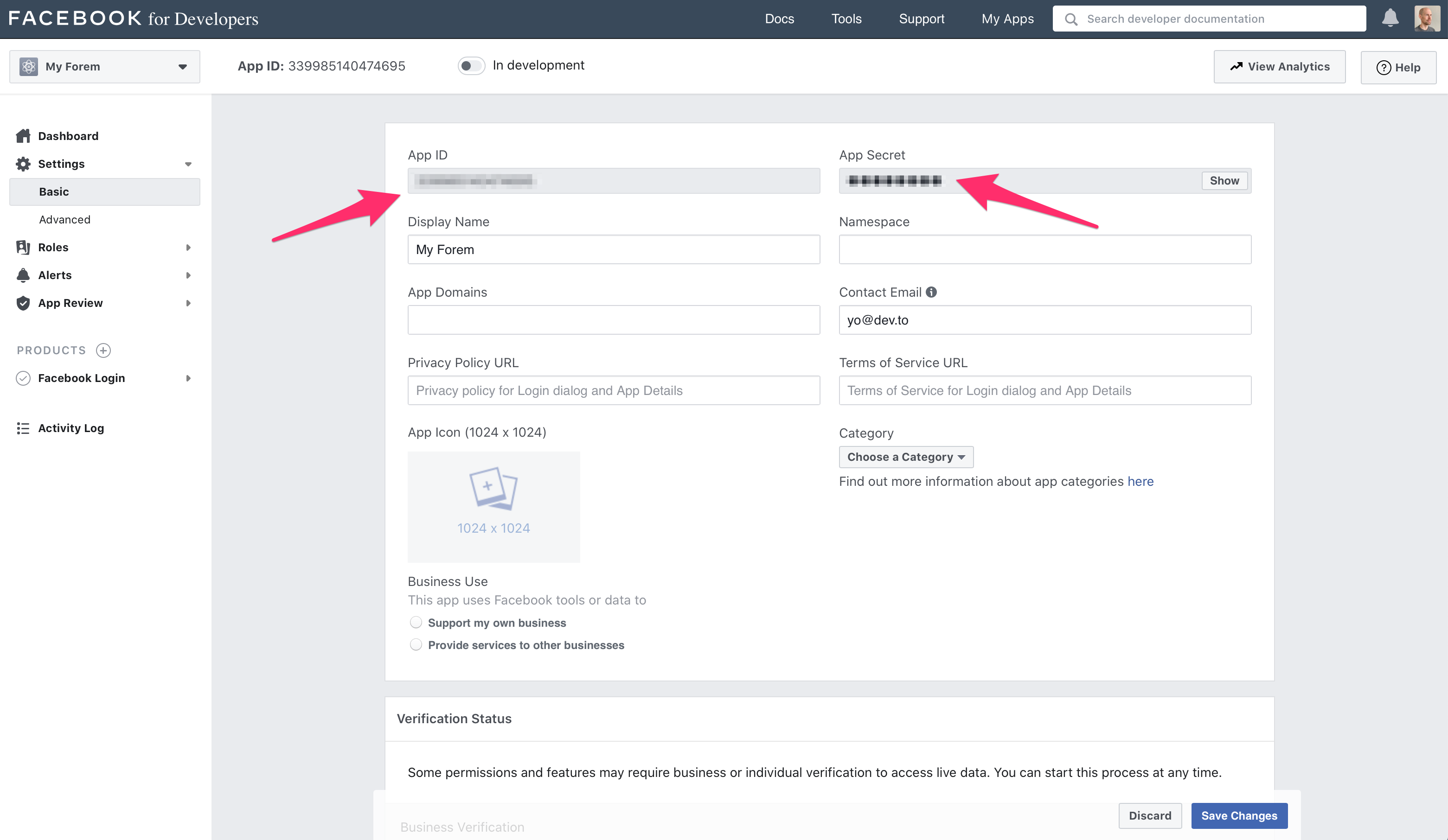
7. From the basic settings screen dashboard copy the **App ID** and **App
|
|
Secret** values to your `.env` file accordingly (name of Facebook key -> name
|
|
of our `SiteConfig` variable).
|
|
|
|
```text
|
|
APP ID -> FACEBOOK_APP_ID
|
|
API secret -> FACEBOOK_APP_SECRET
|
|
```
|
|
|
|
|
|
|
|
## Configure the Facebook App
|
|
|
|
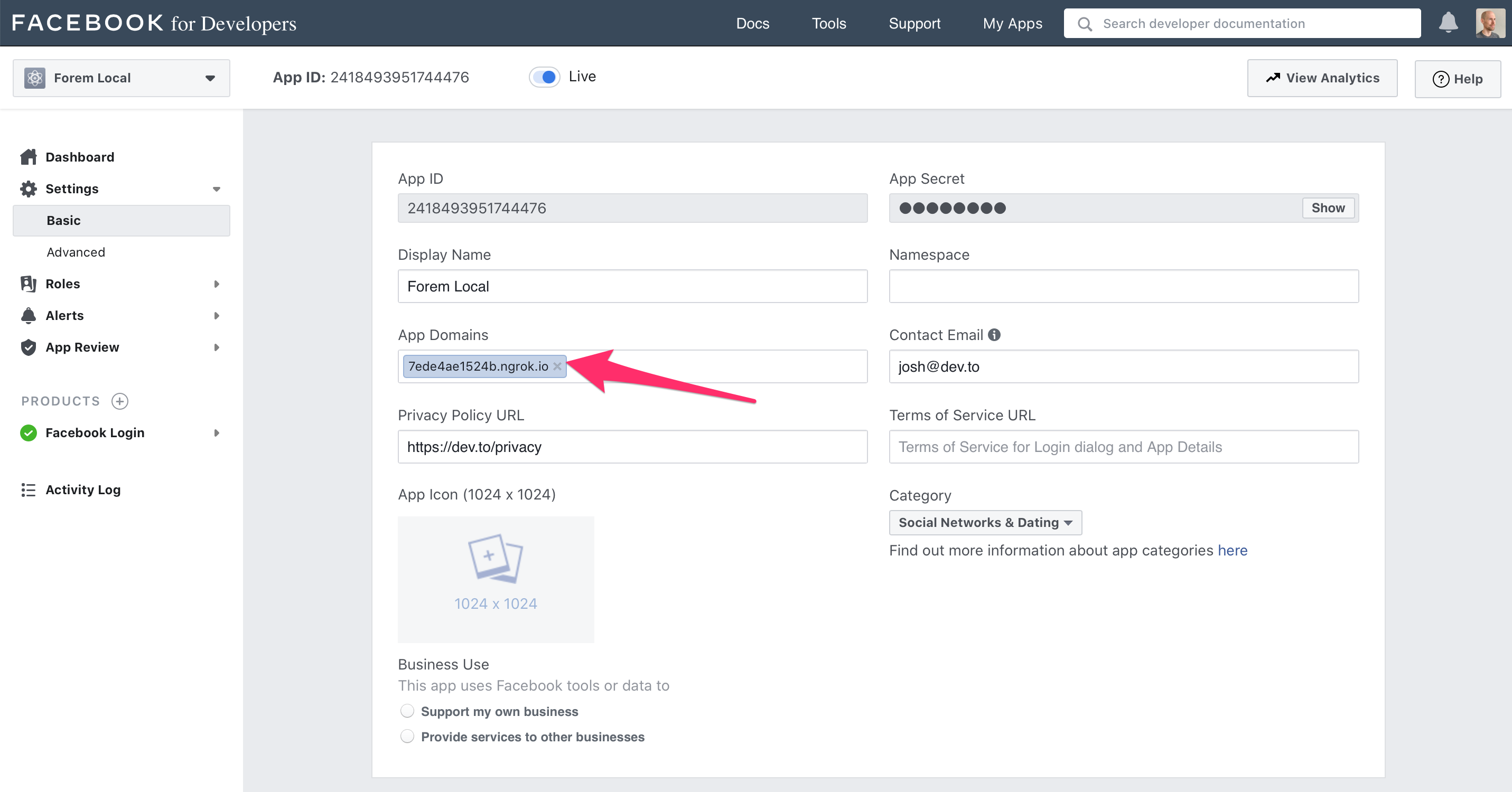
1. From the basic settings screen dashboard set your application's domain name
|
|
in **App Domains** field, and be sure to click **Save Changes**
|
|
|
|
|
|
|
|
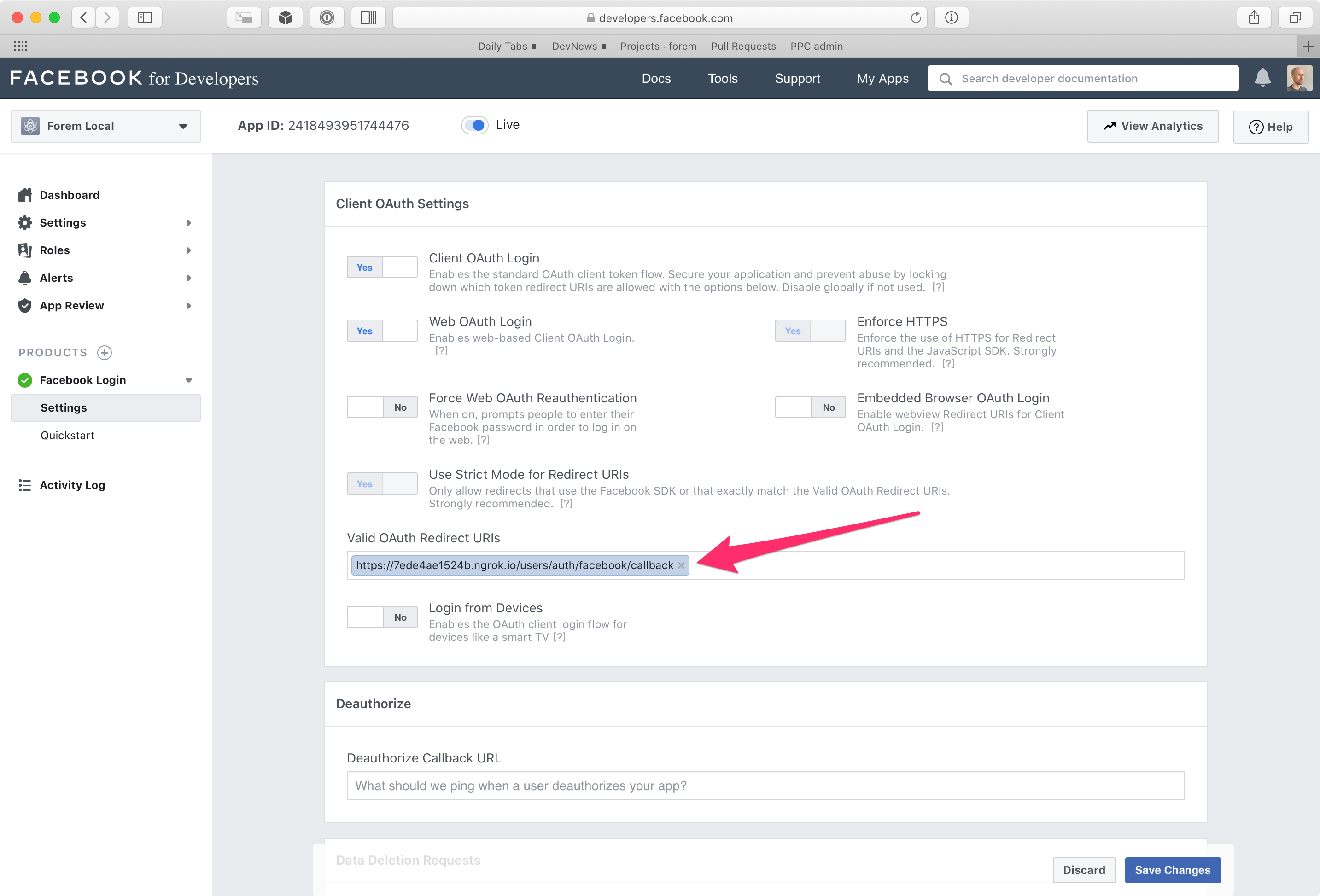
2. Naviate to **Facebook Login --> Settings**, and enter the following callback
|
|
URL in the field **Valid OAuth Redirect URIs**:
|
|
|
|
`https://<your domain>>/users/auth/facebook/callback`
|
|
|
|
|