
2.4 KiB
| title |
|---|
| Algolia |
Algolia for Search
Algolia is a third party service that powers the search. When working with the API, you will likely need to utilize Algolia. You will need to sign up for a free-tier account, retrieve the keys, and provide those keys to the Rails application.
Sign up
-
Go to the Algolia sign up page.
-
Choose one of the three methods of signing up: email, GitHub, or Google.
-
Fill in your information.

-
Select the datacenter's region.

-
Fill in or skip the project information.

-
Sign up complete! You can go to your dashboard now.

-
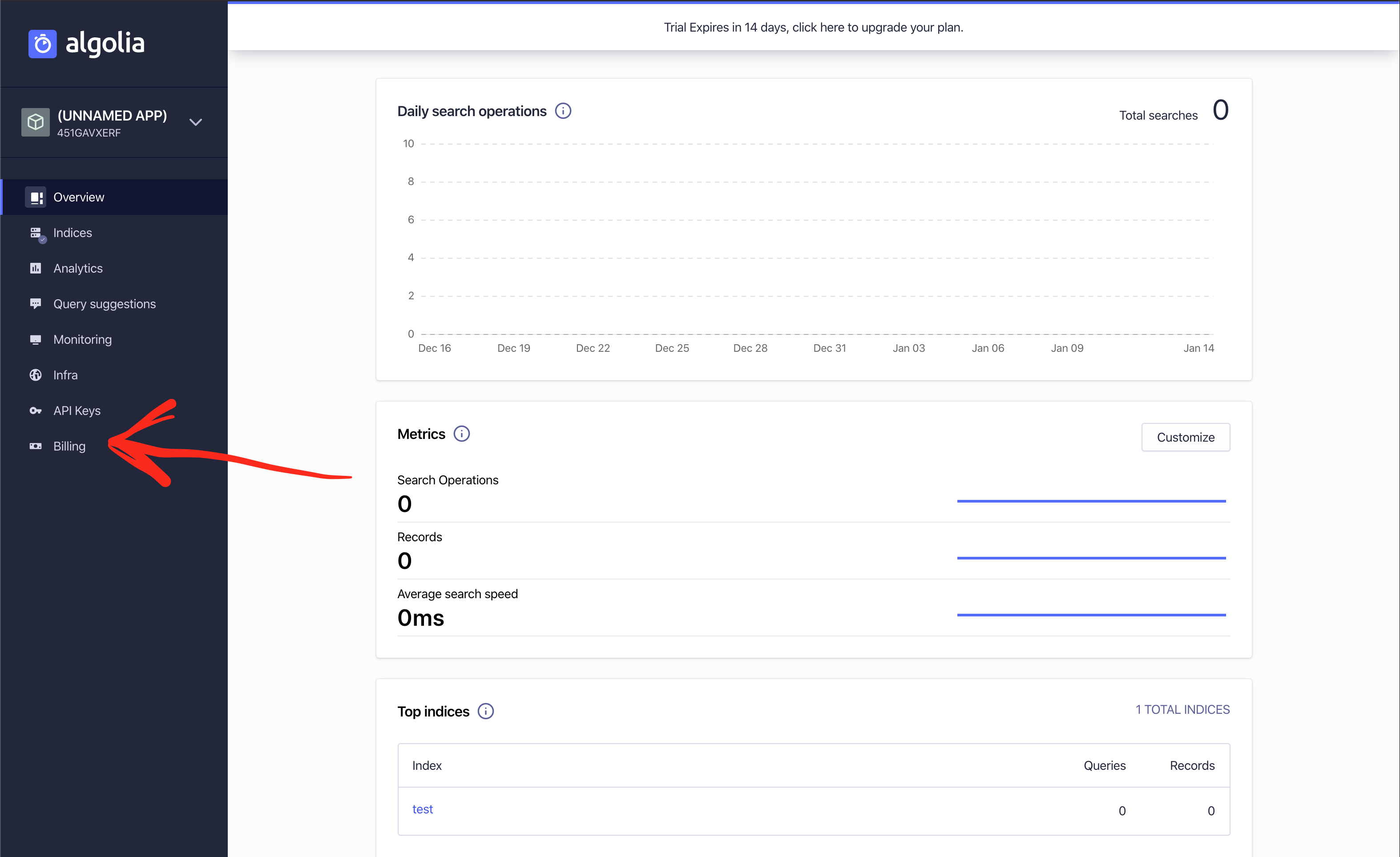
To avoid the trial period ending unexpectedly, you'll want to select a free plan. Go to the Billing section.
-
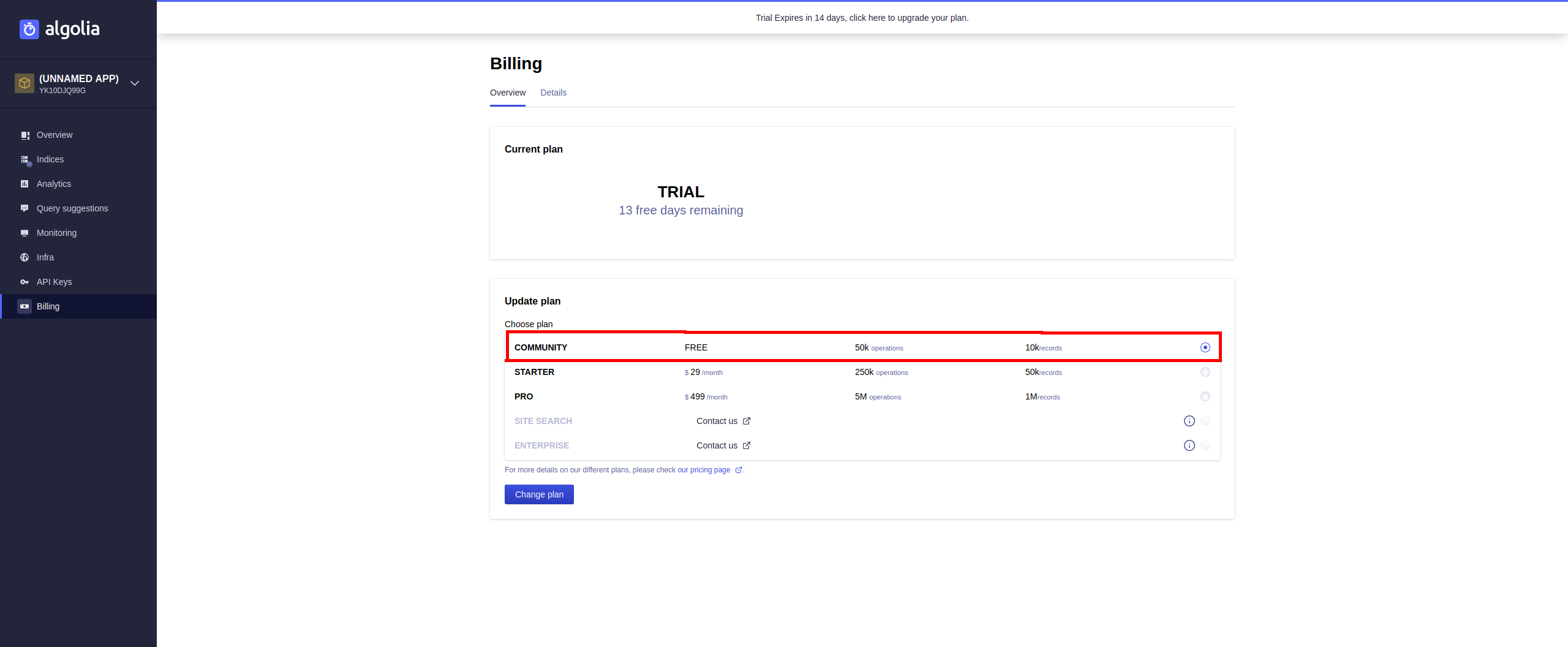
Choose the Community plan and submit.
-
You're all good! You can get your API keys now.

Get API keys
-
From your Dashboard, click on API Keys.

-
Change your keys accordingly (name of Algolia key -> name of our
ENVvariable):Application ID -> ALGOLIASEARCH_APPLICATION_ID Search-Only API Key -> ALGOLIASEARCH_SEARCH_ONLY_KEY Admin API KEY -> ALGOLIASEARCH_API_KEY
-
Done.