 6dfabd578f
* Rename SiteConfig

* More renaming

* Update spec

* Update mandatory settings mapping

* More renaming

* e2e test fixes

* You have a rename, and you have a rename

* Spec fix

* More changes

* Temporarily disable specs

* After-merge update

* Undo rename for migration

* undo rename of DUS

* Fix DUS

* Fix merge problem

* Remove redundant DUS

* Fix specs

* Remove unused code

* Change wrong class name

* More cleanup

* Re-add missing values to constant

* Fix constant

* Fix spec

* Remove obsolete fields

* Add accidentally removed field

* Update spec

* Move methods from Settings::General to ForemInstance

* Remove unneeded model

* Change mentions of 'site config'
81 lines
2.6 KiB
Markdown
81 lines
2.6 KiB
Markdown
---
|
|
title: Configuration
|
|
---
|
|
|
|
# Configuration
|
|
|
|
We currently use the following gems for configuring the application:
|
|
|
|
- [dotenv](https://github.com/bkeepers/dotenv)
|
|
- [rails-settings-cached](https://github.com/huacnlee/rails-settings-cached)
|
|
- [vault](https://github.com/hashicorp/vault-ruby)
|
|
|
|
## dotenv
|
|
|
|
This gem is used for configuring environment variables for test and development
|
|
environments. Examples:
|
|
|
|
- `REDIS_URL`
|
|
- `FASTLY_API_KEY`
|
|
- `STRIPE_SECRET_KEY`
|
|
|
|
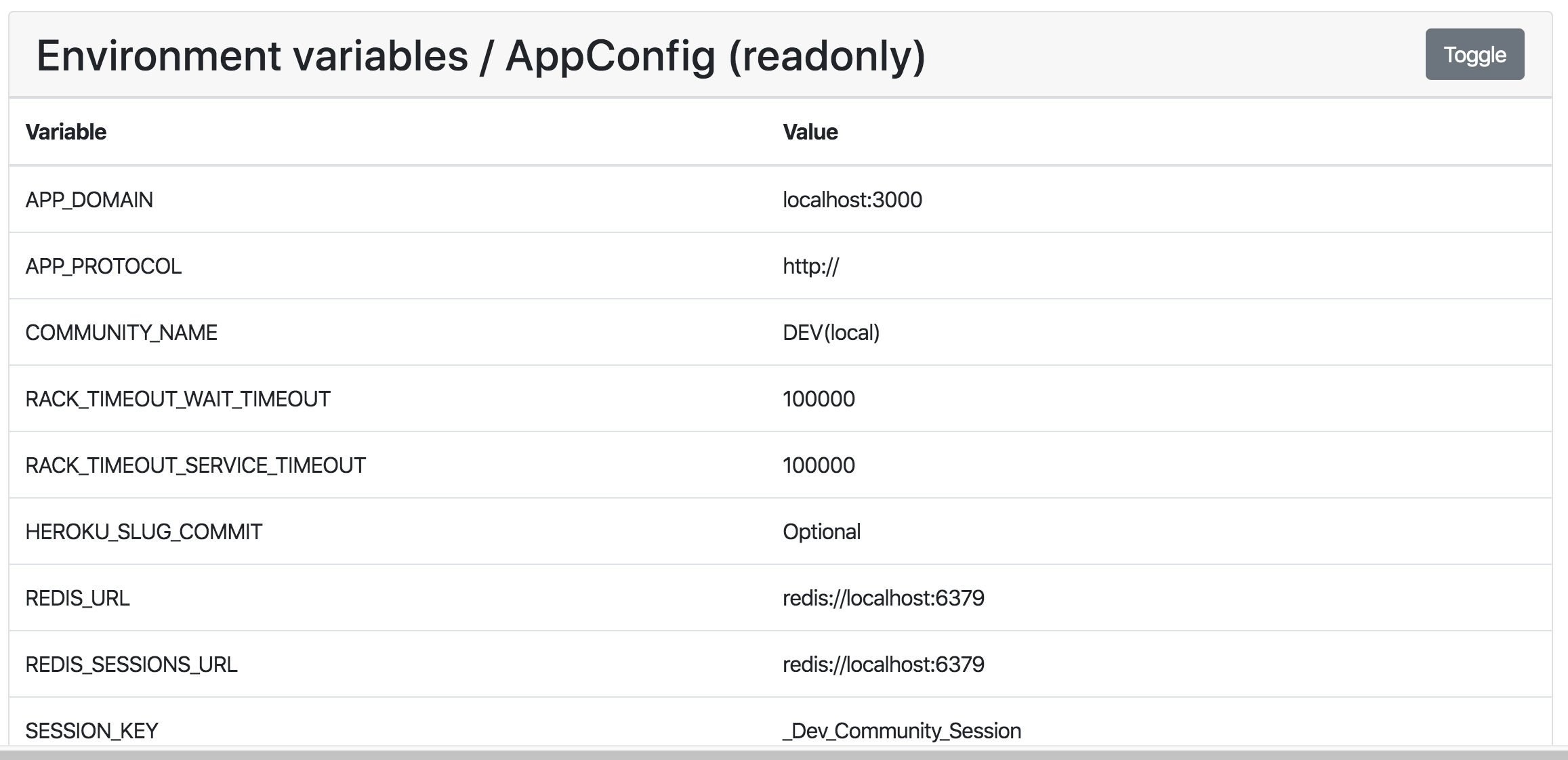
Settings managed via your ENV can be found in
|
|
[Configuring Environment Variables](/getting-started/config-env)) and viewed at
|
|
`/admin/customization/config` (see [the Admin guide](/admin)):
|
|
|
|
|
|
|
|
## rails-settings-cached
|
|
|
|
We use this gem for managing settings used within the app's business logic.
|
|
Examples:
|
|
|
|
- `Settings::General.main_social_image`
|
|
- `Settings::RateLimit.follow_count_daily`
|
|
- `Settings::Authentication.twitter_secret`
|
|
|
|
These settings can be accessed via the
|
|
[`Settings::General`](https://github.com/forem/forem/blob/master/app/models/settins/general.rb)
|
|
object and various models in the `Settings::` namespace and viewed / modified
|
|
via `/admin/customization/config` (see [the Admin guide](/admin)).
|
|
|
|

|
|
|
|
## Vault
|
|
|
|
The vault Ruby gem allows us to interact with
|
|
[Vault](https://www.vaultproject.io/docs/what-is-vault). In a nutshell, Vault is
|
|
a tool for securely storing and accessing secrets. It is completely optional for
|
|
running a Forem. To access it we use the wrapper `AppSecrets`.
|
|
|
|
```ruby
|
|
class AppSecrets
|
|
def self.[](key)
|
|
result = Vault.kv(namespace).read(key)&.data&.fetch(:value) if ENV["VAULT_TOKEN"].present?
|
|
result ||= ApplicationConfig[key]
|
|
|
|
result
|
|
rescue Vault::VaultError
|
|
ApplicationConfig[key]
|
|
end
|
|
|
|
def self.[]=(key, value)
|
|
Vault.kv(namespace).write(key, value: value)
|
|
end
|
|
|
|
def self.namespace
|
|
ENV["VAULT_SECRET_NAMESPACE"]
|
|
end
|
|
private_class_method :namespace
|
|
end
|
|
```
|
|
|
|
We attempt to access a secret from Vault if it is enabled, i.e. if the
|
|
`VAULT_TOKEN` is present. If Vault is not enabled or if we cannot find the
|
|
secret in it, then we fallback to fetching the secret from the
|
|
`ApplicationConfig`.
|
|
|
|
One advantage of using Vault with Forem is that it allows you to update your
|
|
secrets easily through the application rather than having to mess with ENV
|
|
files. If you would like to try out Vault, follow our
|
|
[installation guide for setting it up locally](/installation/vault).
|