 6dfabd578f
* Rename SiteConfig

* More renaming

* Update spec

* Update mandatory settings mapping

* More renaming

* e2e test fixes

* You have a rename, and you have a rename

* Spec fix

* More changes

* Temporarily disable specs

* After-merge update

* Undo rename for migration

* undo rename of DUS

* Fix DUS

* Fix merge problem

* Remove redundant DUS

* Fix specs

* Remove unused code

* Change wrong class name

* More cleanup

* Re-add missing values to constant

* Fix constant

* Fix spec

* Remove obsolete fields

* Add accidentally removed field

* Update spec

* Move methods from Settings::General to ForemInstance

* Remove unneeded model

* Change mentions of 'site config'
69 lines
2.5 KiB
Markdown
69 lines
2.5 KiB
Markdown
---
|
|
title: Facebook Authentication
|
|
---
|
|
|
|
# Facebook App and Authentication
|
|
|
|
Forem allows you to authenticate using Facebook. In order to use this
|
|
authentication method in local development, you will need to setup a Facebook
|
|
App and retrieve its keys. Then you'll need to provide these keys to the Rails
|
|
application.
|
|
|
|
## Sign up
|
|
|
|
1. [Sign in](https://facebook.com) to your Facebook account.
|
|
|
|
2. In order to get the API keys, you will have to
|
|
[convert your account to a developer account](https://developers.facebook.com/).
|
|
|
|
## Get API keys
|
|
|
|
1. [Sign up](#facebook-sign-up) or [sign in](https://developers.facebook.com) to
|
|
your Facebook developer account.
|
|
|
|
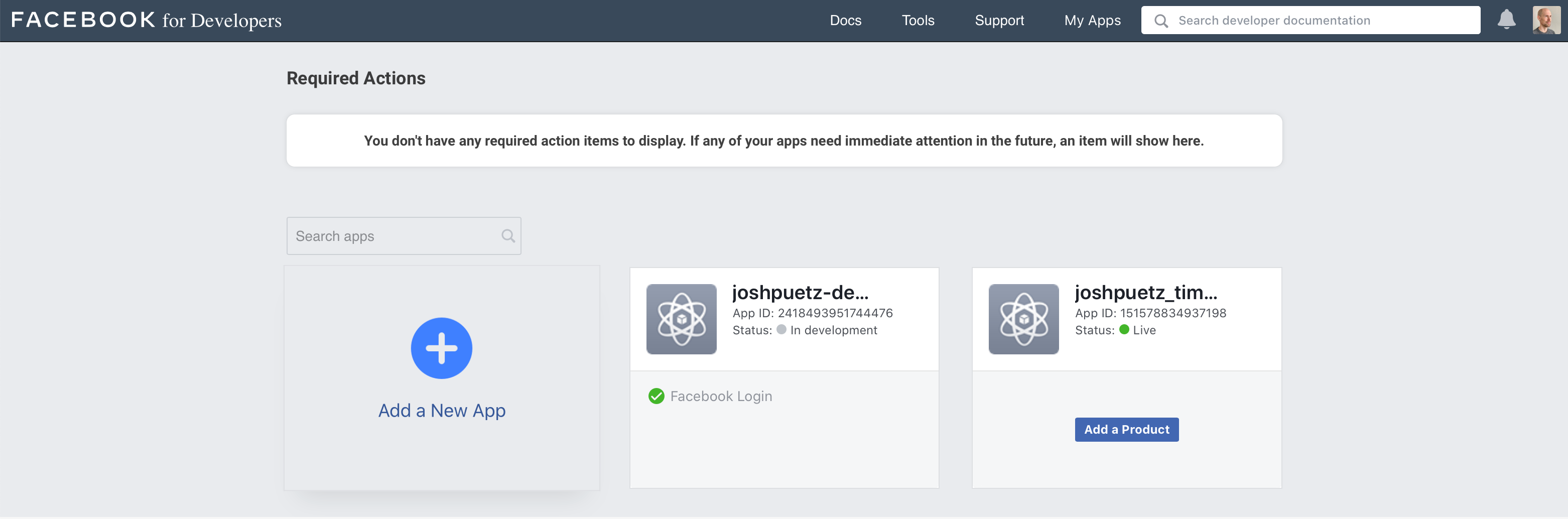
2. From **My Apps** dashboard, click on **Add a New App**.
|
|
|
|
|
|
|
|
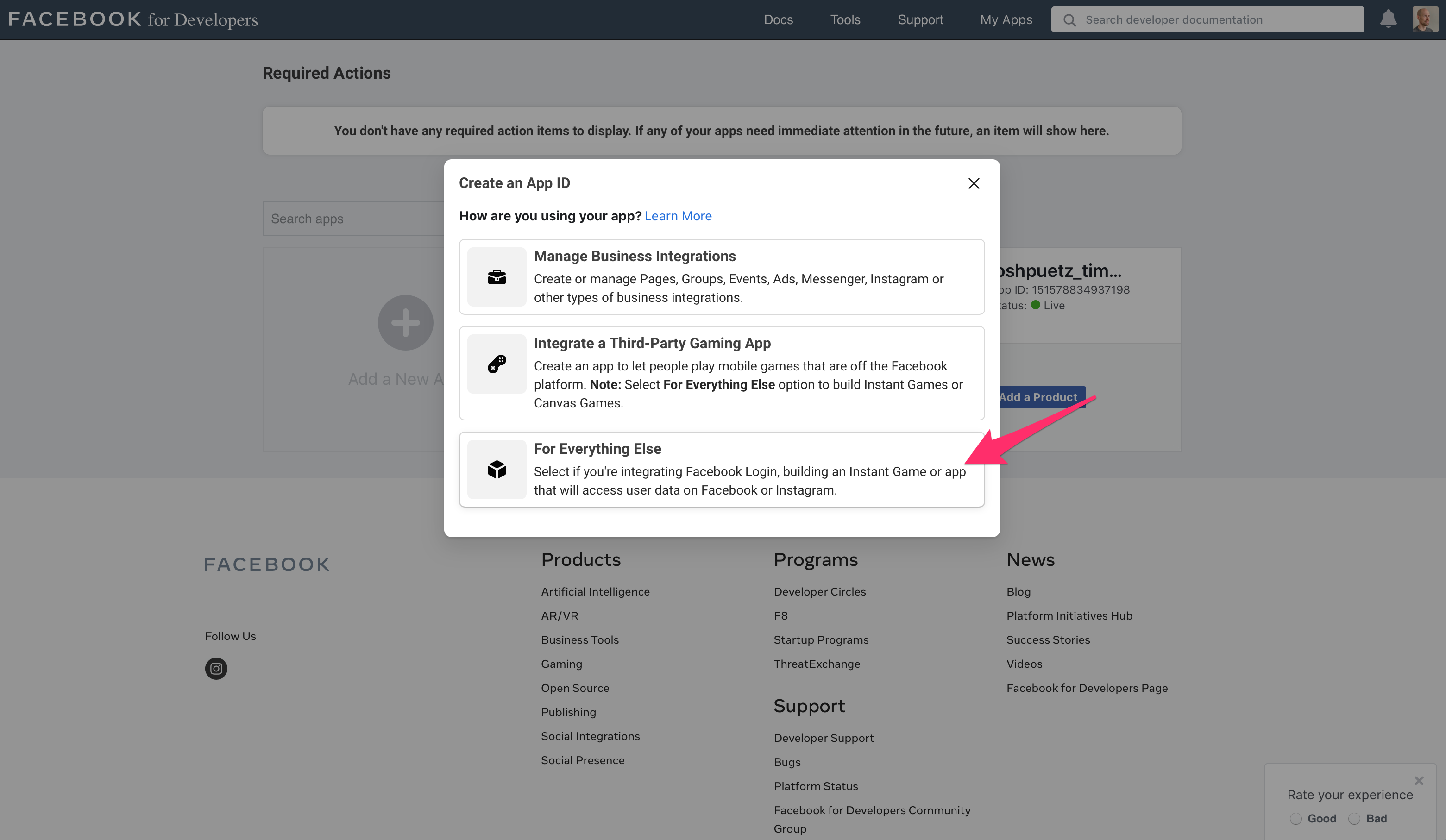
3. Select **For Everything Else**
|
|
|
|
|
|
|
|
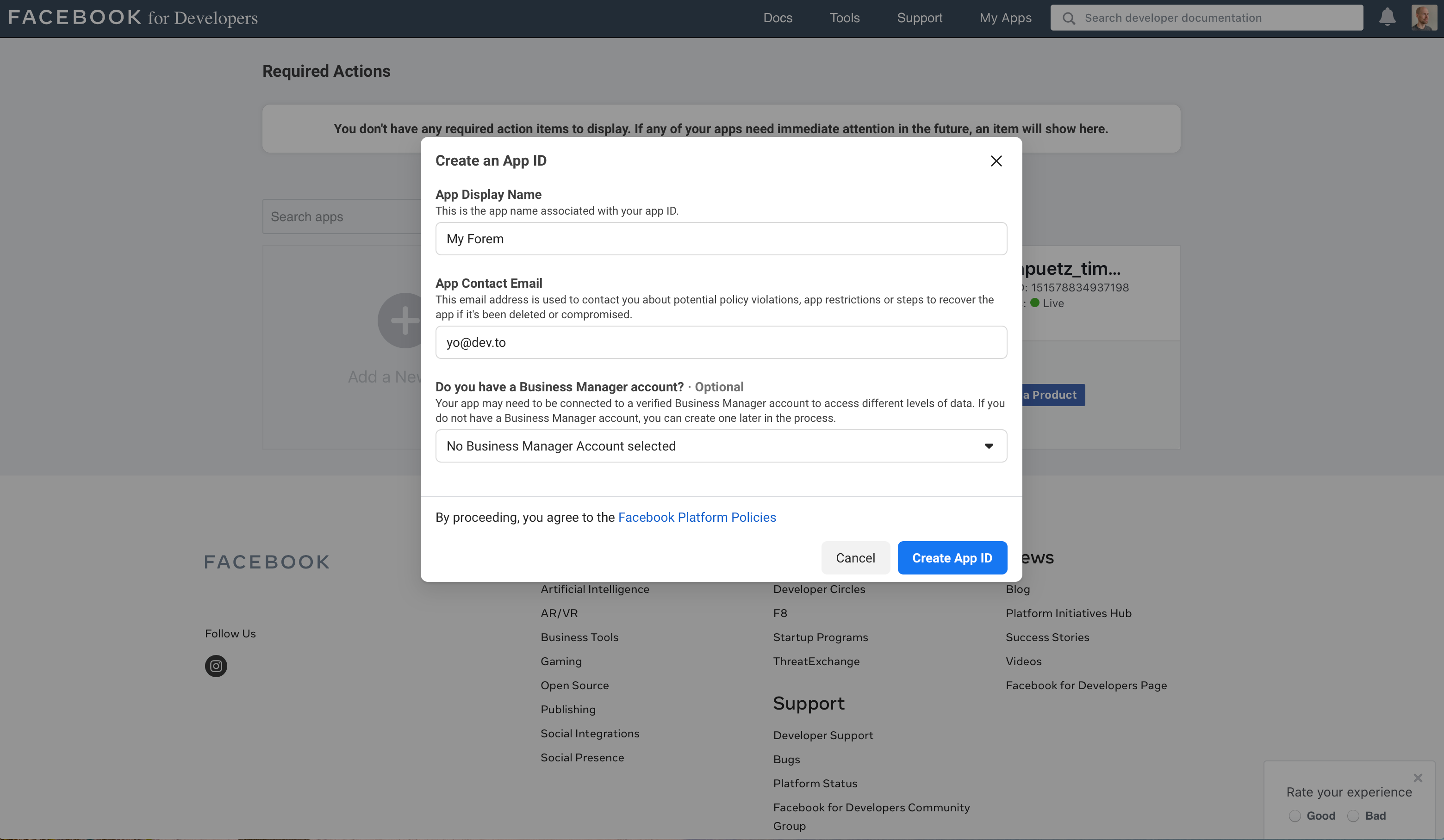
4. Fill in the app display name and contact email, then click on **Create App
|
|
ID**
|
|
|
|
|
|
|
|
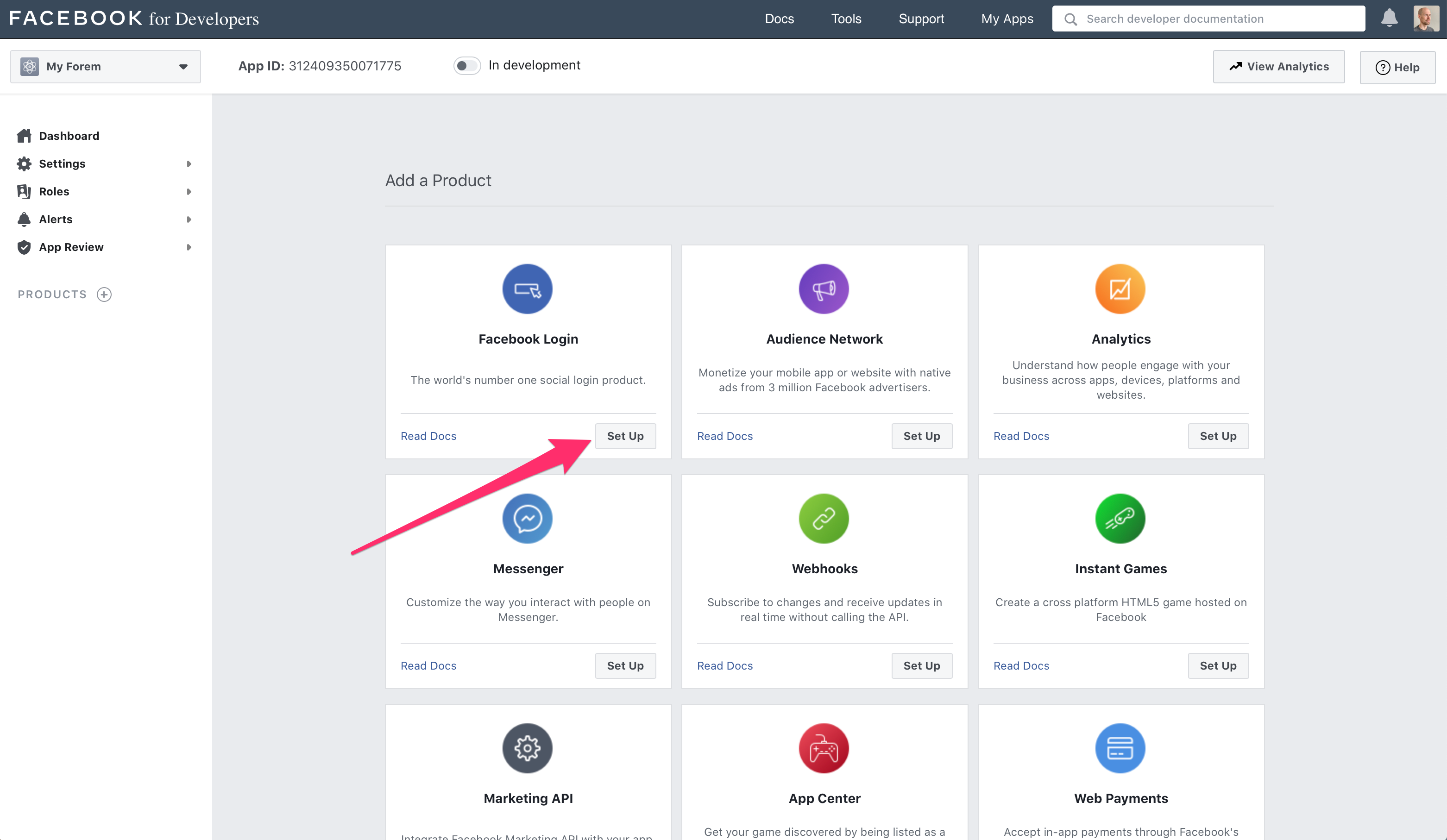
5. On the **Add a Product** screen, click **Set Up** under the **Facebook
|
|
Login** section
|
|
|
|
|
|
|
|
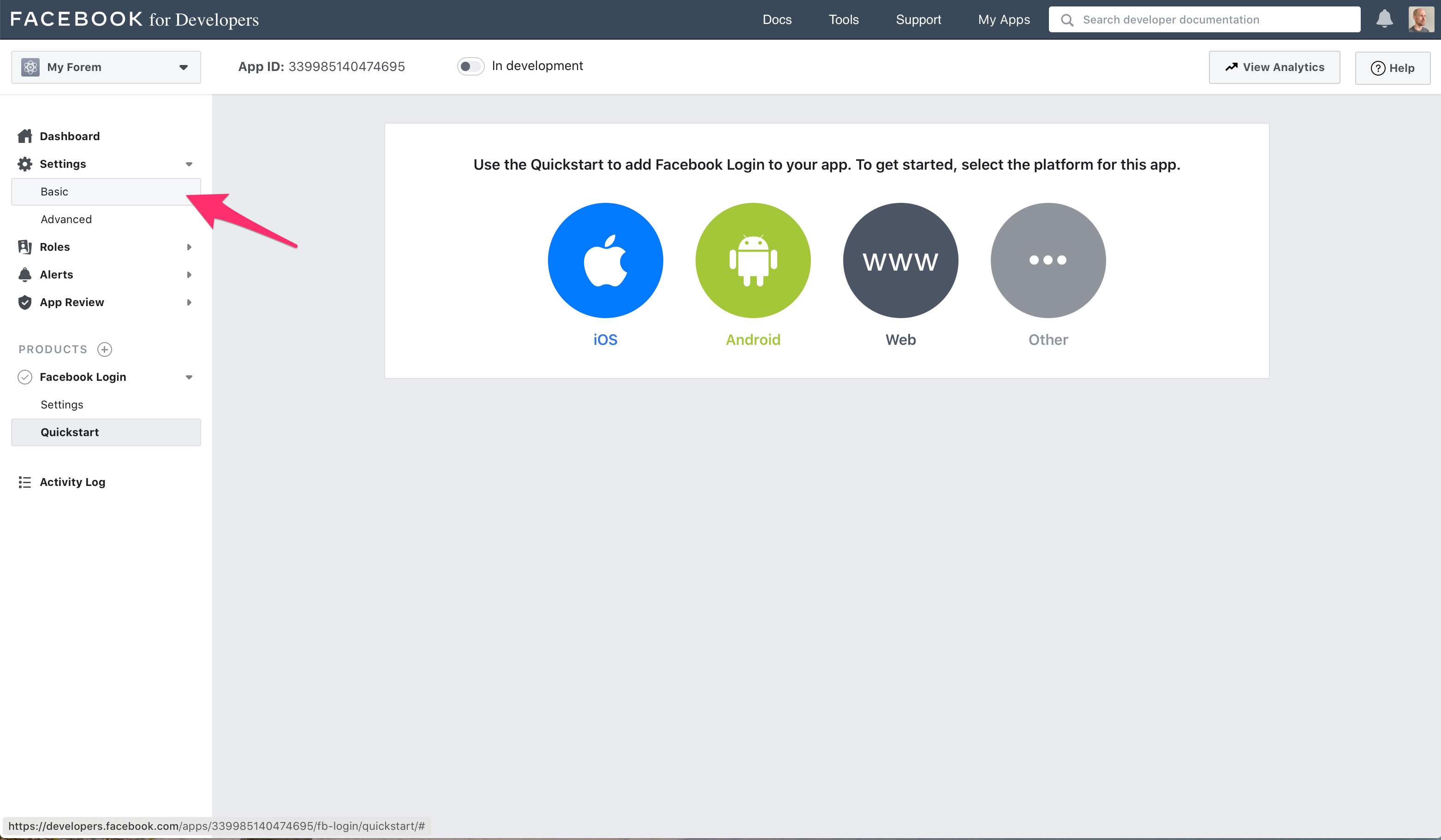
6. Ignore the quickstart options, and click **Settings -> Basic** in the sidebar
|
|
|
|
|
|
|
|
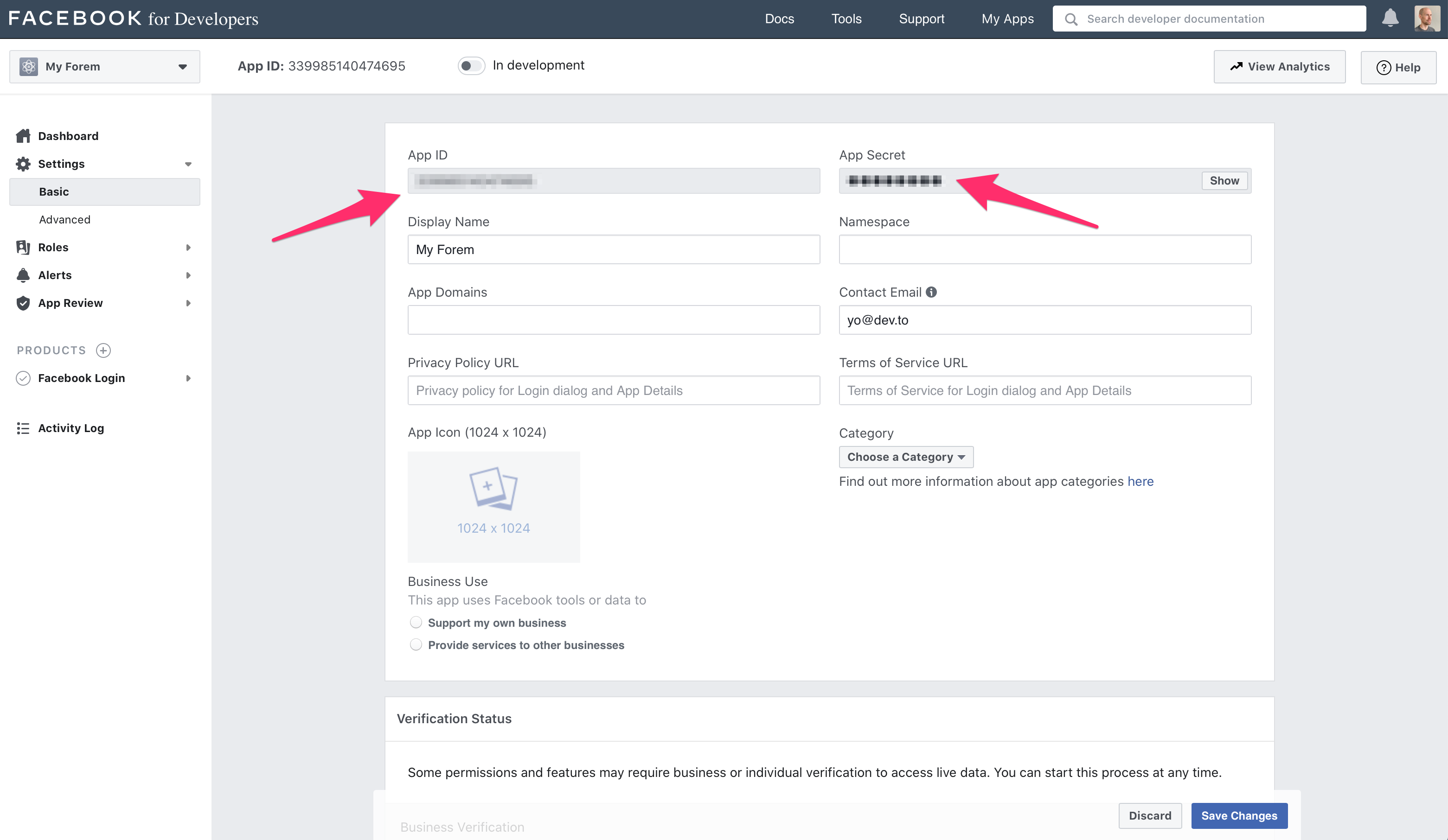
7. From the basic settings screen dashboard copy the **App ID** and **App
|
|
Secret** values to your `.env` file accordingly (name of Facebook key -> name
|
|
of our `Settings::General` variable).
|
|
|
|
```text
|
|
APP ID -> FACEBOOK_APP_ID
|
|
API secret -> FACEBOOK_APP_SECRET
|
|
```
|
|
|
|
|
|
|
|
## Configure the Facebook App
|
|
|
|
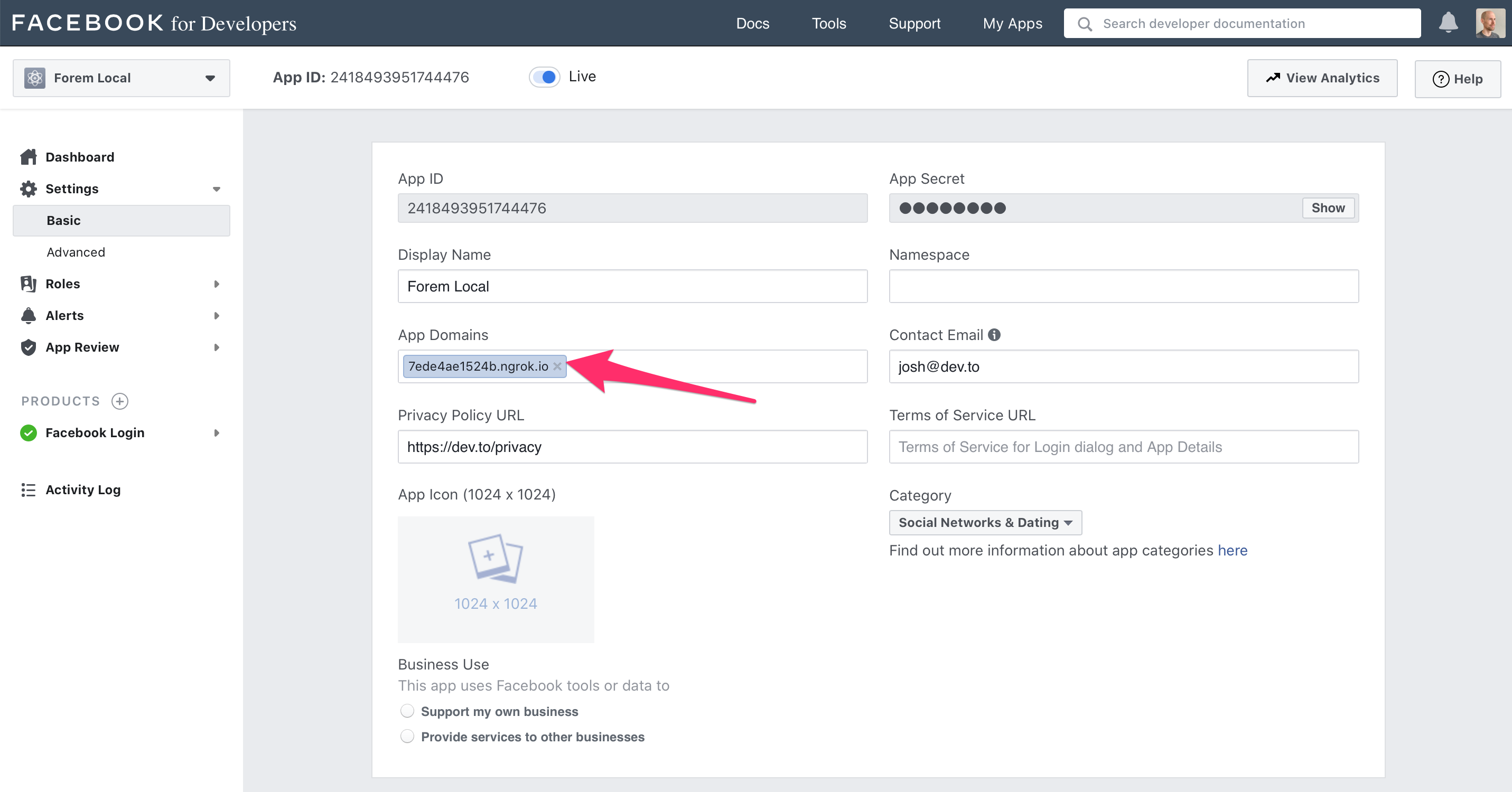
1. From the basic settings screen dashboard set your application's domain name
|
|
in **App Domains** field, and be sure to click **Save Changes**
|
|
|
|
|
|
|
|
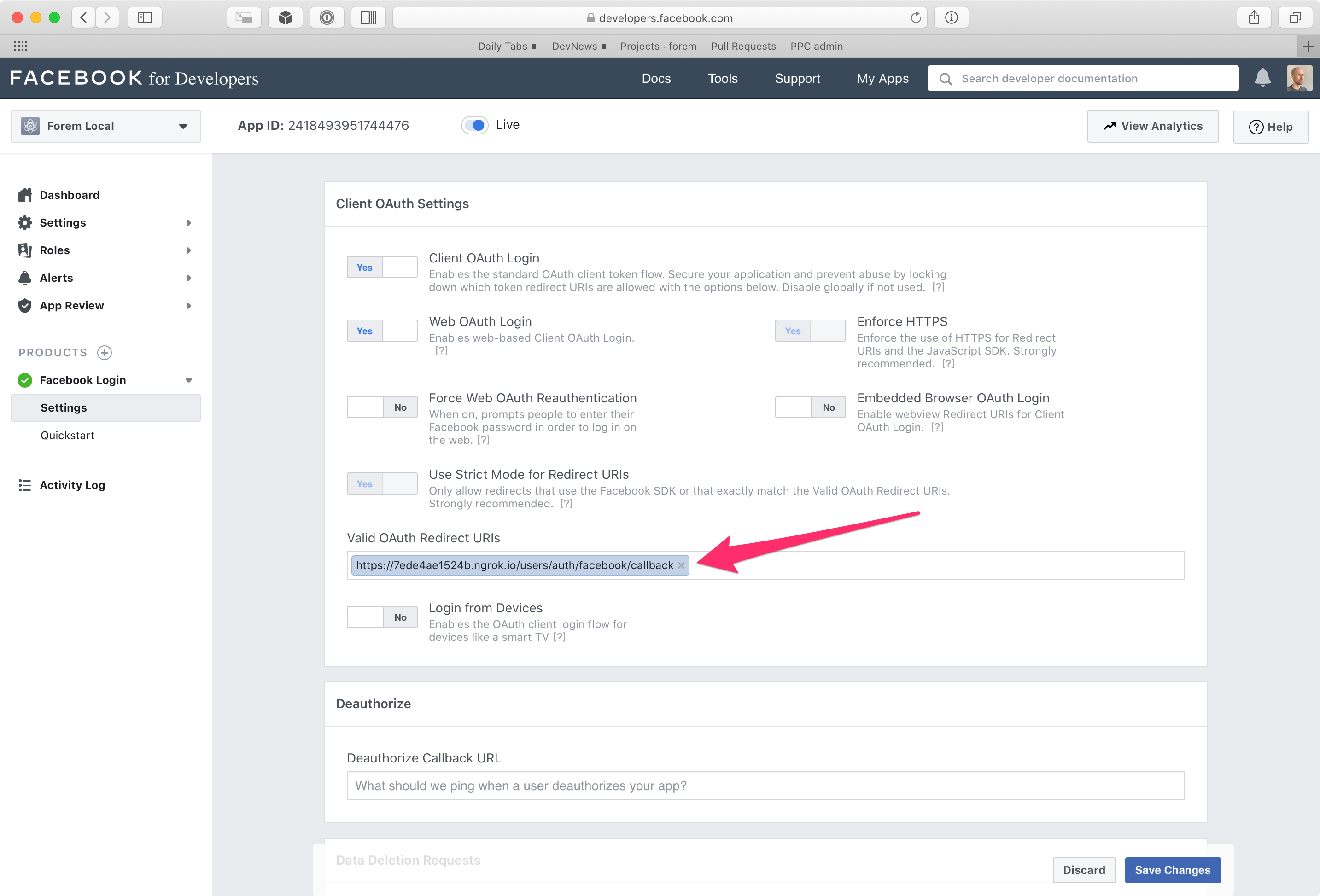
2. Naviate to **Facebook Login --> Settings**, and enter the following callback
|
|
URL in the field **Valid OAuth Redirect URIs**:
|
|
|
|
`https://<your domain>>/users/auth/facebook/callback`
|
|
|
|
|